The payment will be processed via Digistore24
Thank you for your order

Microsoft is blocking the file - what to do?
If the file has been downloaded, the macros may not work.
Therefore, check the following points:
Point 1:
Microsoft classified the file as potentially dangerous during the download and therefore activated a block.
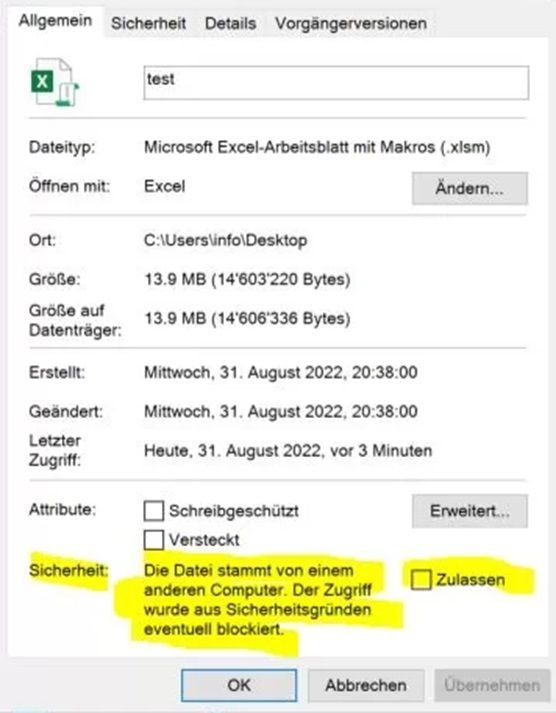
To unlock this block, right-click on the file and go to Properties.
Then, in the lower section, check the box next to "Allow" (highlighted in yellow below).
Point 2:
Excel has the default setting that macros are not executable.
To change this, go to Excel Options. Then to Trust Center. Finally, click the button labeled... "Trust Center settings..."
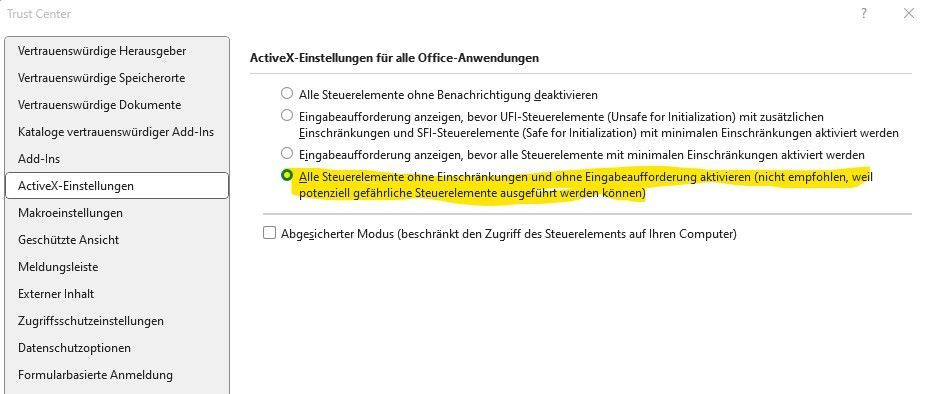
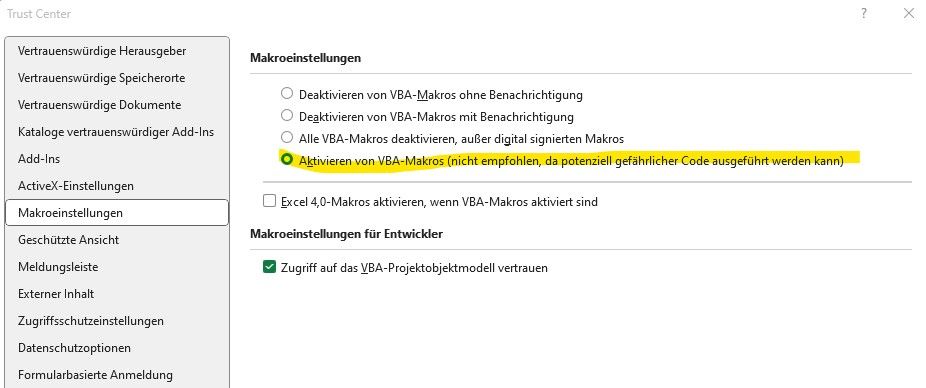
Another window will open with various settings options. Two settings options need to be checked here:
- "ActiveX settings"
The button for "All controls without restrictions and without prompting..." must be active here. - "Macro settings"
The button for "Enable VBA macros ..." must be active here.